Viewing Blockchain Transactions
You can access your Blockchain Transaction either from the ballot tracking page or from the ballot results page, depending on what the ballot administrator has enabled.
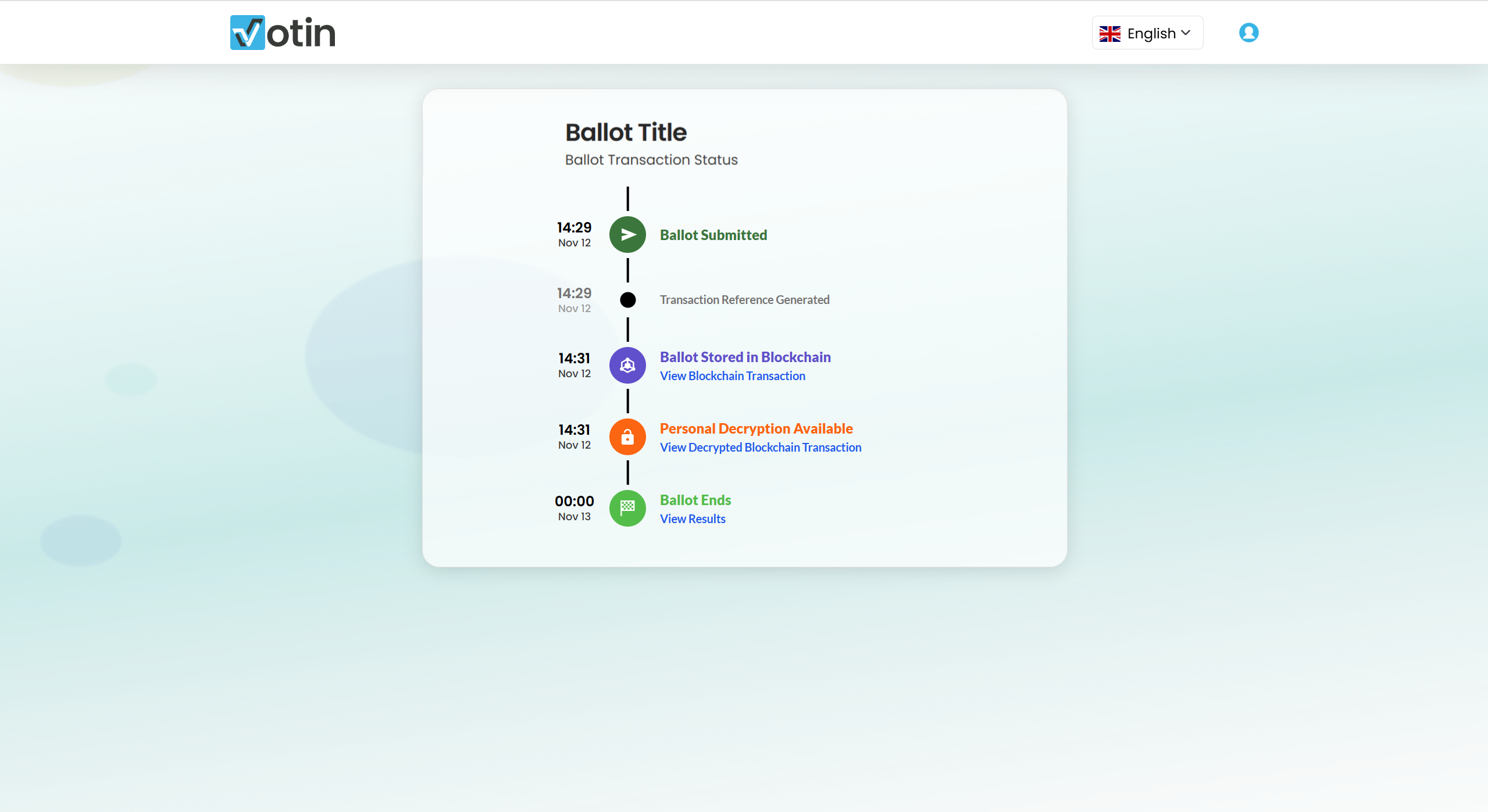
Viewing Your Personal Transaction
Within the tracking page, selecting View Blockchain Transaction opens a dedicated window displaying all technical details related to your recorded vote.
This section provides full transparency into how your vote has been stored on the Symbol blockchain.
What You Will See
The transaction window includes two main sections:
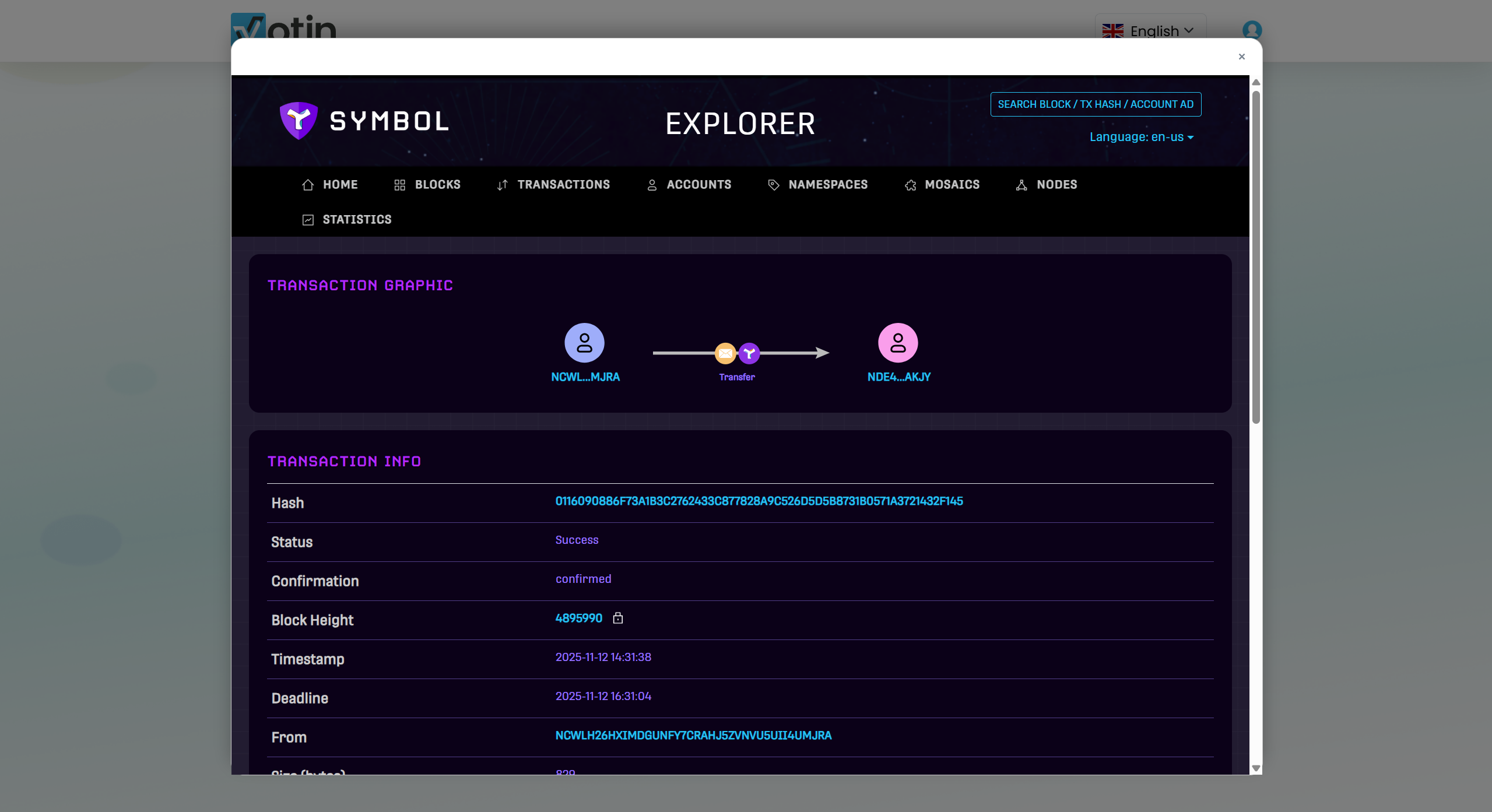
Transaction Info
This section displays the metadata associated with your transaction on the blockchain, such as:
- transaction hash
- transaction status and confirmation state
- block height and whether the block is finalized
- timestamp and deadline
- sender address
- transaction size, fee, and version
- the digital signature, proving integrity and authenticity
These elements provide the technical proof that the transaction has been successfully recorded and validated.
Transaction Detail
Here you will find information about the specific operation performed on the blockchain, including:
- the transaction type (for voting, a Transfer transaction is used)
- the encrypted message containing the vote payload
- the recipient address, representing the Votin blockchain endpoint
- the mosaic used to anchor the transaction on the Symbol network
The encrypted message displayed in this section can also be viewed in its decrypted form, when permitted, within the
Blockchain Decryption Guide.
This allows voters—if allowed by the ballot settings—to see a human-readable version of the vote content originally stored on the blockchain.
This section acts as the equivalent of a technical receipt issued by the blockchain.
Additional Options (If Enabled)
Depending on the ballot’s configuration, you may also access:
- View All Blockchain Transactions — the complete list of transactions associated with the ballot
- View Candidate Transactions — all transactions linked to a selected candidate or option
- View Decrypted Blockchain Transaction — available only when the ballot administrator allows decryption
For further information about the decryption process, refer to the
Blockchain Decryption Guide.
Voters may also access results—when permitted—through the View Results button. For real-time monitoring of an active ballot, consult the
Live Results Guide.
Security and Access Permissions
All visibility options depend entirely on the security settings defined by the ballot administrator, which determine whether voters can view:
- decrypted transactions
- the complete transaction history
- partial or full results
For more details, refer to the
Security Settings guide.